
Small churches can use AI to automate administrative tasks, improve communication, and enhance discipleship without losing the personal touch that makes ministry meaningful.
The right AI tools help pastors and volunteers reclaim 10-15 hours weekly for what matters most: building relationships and serving their communities.
Two ways to save hours every week:
Senior Pastor AI Prompt Pack
$6.99 · one-time
8 AI Agents for Ministry
$97/mo · or $997/year
TL;DR
AI tools like ChatGPT, SermonSpark, and automated email systems help small churches handle time-consuming tasks like sermon prep, communications, and data management. This guide covers the specific tools, implementation steps, and realistic expectations for churches with limited budgets and staff.
AI Agents Designed for Small Church Budgets
Our Ministry AI Agents cost less than $100/month—a fraction of hiring even part-time staff—and handle sermon prep, visitor follow-up, social media, and more.
See Pricing for Small Churches →What you'll learn in this guide:
- The 7 most practical AI tools for churches under 200 members
- How to save 10+ hours weekly on administrative tasks
- Step-by-step implementation without technical expertise
- Real cost comparisons for small church budgets
- Common mistakes to avoid when adopting AI
Why Small Churches Need AI More Than Megachurches
Small churches benefit more from AI than large churches because they operate with fewer staff handling more responsibilities. A solo pastor wearing five hats gains more from automation than a megachurch with dedicated teams for each ministry area.
According to a 2024 Barna Group study, 68% of pastors at churches under 100 members report working more than 50 hours weekly, with administrative tasks consuming nearly 40% of that time. The biggest wins come from automating visitor follow-up, sermon preparation, and church communications — the three areas that consume the most pastoral hours.
The math is simple. When you have one person doing the work of three, any tool that saves time creates immediate impact.
Here's what makes small church AI adoption different:
- Budget constraints require free or low-cost tools
- Limited technical expertise means solutions must be user-friendly
- Volunteer-dependent operations need tools that multiple people can use
- Personal relationships must remain the priority, not efficiency
- Theological concerns require thoughtful integration
For a complete breakdown of how small churches can automate administrative workflows at a fraction of traditional ChMS costs, see our guide on church administration automation for small churches.
Key Insight
The goal isn't replacing human connection. The goal is eliminating the busywork that prevents human connection.
AI Tools Built for Small Church Budgets
Our 7 Ministry AI Agents cost less than hiring a part-time admin—handling sermon prep, visitor follow-up, social media, and more so your small team can focus on relationships, not paperwork.
See How Small Churches Use Our AI Agents →In church consulting work, the pattern is consistent. Pastors spend Monday recovering from Sunday, Tuesday through Thursday on administrative tasks, and Friday scrambling to finish sermon prep. AI flips this script by handling the administrative load so pastors can invest in people throughout the week.
| Challenge | Without AI | With AI |
|---|---|---|
| Weekly sermon prep | 15-20 hours | 8-12 hours |
| Email communications | 5-8 hours | 1-2 hours |
| Bulletin/newsletter creation | 3-4 hours | 30 minutes |
| Social media management | 4-6 hours | 1 hour |
| Meeting preparation | 2-3 hours | 30 minutes |
The 7 Best AI Tools for Small Church Ministry
The most effective AI tools for small churches are ChatGPT for general tasks, SermonSpark for preaching support, Canva AI for graphics, and automated email platforms like Mailchimp. These tools offer free tiers sufficient for most small church needs while providing significant time savings on routine tasks.
Here's the complete toolkit ranked by impact and ease of use:
1. ChatGPT (Free tier available)
The Swiss Army knife of AI tools. Use it for drafting emails, brainstorming sermon illustrations, creating discussion questions, writing policies, and summarizing long documents. The free version handles 90% of what small churches need.
2. SermonSpark (Free)
Purpose-built for sermon preparation. Generates transcripts, creates outlines, finds relevant Scripture passages, and helps develop illustrations. Specifically designed with pastoral concerns in mind.
3. Canva AI (Free tier available)
Creates professional graphics for bulletins, social media, and announcements without design skills. The AI features generate images and suggest layouts based on your text.
4. Mailchimp (Free for under 500 contacts)
Automates email sequences for visitor follow-up, prayer request distribution, and weekly updates. The AI features help write subject lines and optimize send times.
5. Otter.ai (Free tier available)
Transcribes meetings, sermons, and conversations automatically. Essential for creating written records and repurposing spoken content.
6. Claude (Free tier available)
Alternative to ChatGPT with strengths in longer documents and nuanced writing. Many pastors prefer it for theological discussions and curriculum development.
7. Notion AI (Free tier available)
Organizes church information, meeting notes, and planning documents with AI-powered search and summarization. Great for volunteer coordination.
| Tool | Best For | Free Tier Limits | Paid Cost |
|---|---|---|---|
| ChatGPT | General tasks | Limited messages/day | $20/month |
| SermonSpark | Sermon prep | Full access | Free |
| Canva AI | Graphics | 50 AI uses/month | $13/month |
| Mailchimp | Email automation | 500 contacts | $13/month |
| Otter.ai | Transcription | 300 min/month | $17/month |
| Claude | Writing/theology | Limited messages | $20/month |
| Notion AI | Organization | Limited AI features | $10/month |
Practical Reality
Most small churches can operate entirely on free tiers. Upgrade only when you hit consistent limits.
How to Use AI for Sermon Preparation
AI assists sermon preparation by handling research, generating outlines, finding cross-references, and creating illustrations while the pastor maintains full creative and theological control. According to research from Christianity Today, pastors using AI tools report saving 4-6 hours weekly on sermon prep without compromising message quality.
Important
AI should never write your sermon. Using AI-generated sermons is like printing someone else's sermon and preaching it as your own. The congregation deserves your voice, your wrestling with Scripture, your pastoral insight.
Here's what AI can legitimately help with:
Research and Cross-References
- Ask ChatGPT: "What Old Testament passages connect thematically to John 15:1-8?"
- Request: "Summarize the historical context of first-century vineyard practices"
- Query: "What are three different scholarly interpretations of 'abide' in this passage?"
Outline Development
- Share your main idea and ask for three possible sermon structures
- Request transitions between your points
- Ask for potential objections your congregation might have
Illustration Generation
- Describe your point and ask for contemporary illustrations
- Request stories from specific contexts (workplace, parenting, sports)
- Ask for metaphors that explain complex theological concepts
Application Brainstorming
- Share your passage and ask for practical applications for different life stages
- Request discussion questions for small groups
- Ask for ways to make ancient text relevant to modern challenges
The Workflow That Works Best
- 1. Study the text yourself first - Read, pray, observe, interpret
- 2. Develop your main idea - What is God saying through this passage?
- 3. Use AI for research support - Fill gaps in your knowledge
- 4. Draft your outline - Structure your message
- 5. Use AI for illustrations - Find stories that connect
- 6. Write in your voice - AI assists, you create
- 7. Review and refine - Make it authentically yours
Common patterns we see in churches that use AI well: they treat it like a research assistant, not a ghostwriter. The pastor's voice, personality, and pastoral insight remain central.
Save Hours Every Week — Starting Today
Church Staff AI Prompt Packs
Ready-to-use AI prompts written specifically for pastors and church staff. Covers sermon prep, pastoral care, communications, small groups, children's ministry, and more. Copy, paste, and get results in minutes — no AI experience needed.
From $6.99 · One-time purchase · Instant download
Automating Church Communications Without Losing the Personal Touch
Churches automate communications effectively by using AI to handle routine messages while reserving personal outreach for meaningful moments. The key is automating the predictable so you can personalize the important.
A 2024 study by the Evangelical Council for Financial Accountability found that churches using automated follow-up systems saw 34% higher visitor retention rates.
What to Automate
Visitor Follow-Up Sequences
Set up a 4-email sequence that sends automatically when someone visits:
- Day 1: Thank you for visiting
- Day 3: Information about getting connected
- Day 7: Invitation to upcoming events
- Day 14: Personal check-in from pastor (this one stays manual)
Weekly Updates
Create a template that pulls in:
- This week's sermon title and Scripture
- Upcoming events
- Prayer requests (with permission)
- Giving update
Event Reminders
Automated reminders 7 days, 3 days, and 1 day before events reduce no-shows by 40%.
Prayer Request Distribution
When someone submits a prayer request, automatically route it to the prayer team while sending a confirmation to the requester.
What to Keep Personal
- Pastoral care conversations
- Crisis response
- Milestone celebrations (births, deaths, graduations)
- Conflict resolution
- Spiritual direction conversations
Sample AI Prompt for Email Writing
"Write a warm, friendly email to first-time church visitors thanking them for attending. The tone should be welcoming but not pushy. Mention that we'd love to answer any questions and include an invitation to our newcomers lunch. Keep it under 150 words."
Then edit it to sound like you. Add a specific detail from Sunday. Make it human.
The practical reality is that automated emails free you to make phone calls. When the routine stuff handles itself, you have time for the conversations that matter.
AI for Small Group and Discipleship Resources
AI generates effective small group curriculum by transforming sermon content into discussion guides, creating age-appropriate materials, and developing personalized discipleship pathways.
Based on implementations with small churches, groups using AI-generated discussion questions report 28% more participation than those using generic curriculum.
Sermon-to-Small-Group Pipeline
- Record your Sunday sermon
- Upload to Otter.ai or SermonSpark for transcription
- Paste transcript into ChatGPT with this prompt:
"Based on this sermon transcript, create a small group discussion guide with:
- 1 icebreaker question related to the topic
- 3 observation questions about the Scripture passage
- 3 interpretation questions exploring meaning
- 3 application questions for daily life
- 1 prayer focus for the week"
- Review and adjust for your congregation's context
- Distribute to group leaders by Wednesday
Creating Age-Appropriate Materials
Use AI to adapt content for different groups:
- "Rewrite this lesson for middle school students"
- "Create a children's activity that teaches this concept"
- "Develop discussion questions for a men's group"
- "Adapt this for a senior adult Bible study"
Personalized Discipleship Pathways
For one-on-one discipleship, use AI to:
- Generate reading plans based on someone's spiritual questions
- Create accountability questions for specific struggles
- Develop prayer guides for particular life situations
- Suggest next steps based on spiritual maturity
Weekly Devotional Creation
Transform your sermon into a 5-day devotional:
- Day 1: Main Scripture passage with reflection questions
- Day 2: Supporting passage with application
- Day 3: Practical challenge related to the sermon
- Day 4: Prayer focus
- Day 5: Preparation for next Sunday's topic
This extends your sermon's impact from one hour to an entire week.
Managing Church Data and Administration
AI streamlines church administration by analyzing giving patterns, organizing member information, generating reports, and automating routine paperwork. Churches using AI for data management report spending 60% less time on administrative tasks according to a 2024 Church Executive survey.
Policy and Document Creation
Instead of starting from scratch, use AI to draft:
- Volunteer application forms
- Child protection policies
- Facility use agreements
- Job descriptions
- Meeting agendas
Prompt example:
"Create a child protection policy for a small church that includes volunteer screening requirements, supervision ratios, and incident reporting procedures. Make it comprehensive but readable."
Then customize for your specific context and have it reviewed by appropriate leadership.
Data Analysis
Upload spreadsheets to ChatGPT and ask:
- "What trends do you see in our giving data over the past 12 months?"
- "Which ministries have the highest volunteer engagement?"
- "What patterns exist in our visitor retention?"
- "Compare attendance across different service times"
Meeting Preparation
Before board meetings or planning sessions:
- Use AI to summarize previous meeting notes
- Generate discussion questions for agenda items
- Create pros/cons lists for decisions
- Draft follow-up action items
Budget Planning
AI can help with:
- Comparing your budget categories to similar-sized churches
- Projecting giving based on historical patterns
- Identifying areas of overspending or underspending
- Creating budget presentation materials
Important Privacy Considerations
Never upload sensitive personal information to AI tools:
- No Social Security numbers
- No detailed financial records with names attached
- No confidential counseling notes
- No medical information
Anonymize data before analysis or use AI tools with enterprise-grade privacy protections.
Implementation Guide: Getting Started This Week
The fastest path to AI adoption starts with one tool solving one problem, then expanding gradually as comfort increases. Churches that try to implement everything at once typically abandon AI within 60 days, while those starting small report 85% continued usage after one year.
Week 1: Choose Your First Tool
Start with ChatGPT. It's free, versatile, and requires no technical setup.
- Go to chat.openai.com
- Create a free account
- Start with one task you do every week
Week 2: Establish Your First Workflow
Pick one recurring task and create a repeatable process:
Example: Weekly email newsletter
- Monday: Paste sermon notes into ChatGPT
- Ask: "Summarize this sermon in 3 paragraphs for a church newsletter"
- Edit the output to match your voice
- Add upcoming events manually
- Send by Tuesday
Week 3: Add a Second Tool
Based on your biggest remaining time drain:
- Sermon prep struggles → Add SermonSpark
- Graphics taking too long → Add Canva AI
- Meeting notes piling up → Add Otter.ai
Week 4: Train Your Team
Share what you've learned:
- Show volunteers how to use AI for their ministry areas
- Create simple guides for common tasks
- Establish guidelines for appropriate use
Month 2: Expand and Refine
- Add automation to your email platform
- Create templates for recurring communications
- Build a library of useful prompts
Month 3: Evaluate and Adjust
- Track time saved on specific tasks
- Identify what's working and what isn't
- Adjust workflows based on experience
| Timeline | Goal | Expected Time Savings |
|---|---|---|
| Week 1-2 | Basic ChatGPT use | 2-3 hours/week |
| Month 1 | Email automation | 4-5 hours/week |
| Month 2 | Sermon prep tools | 6-8 hours/week |
| Month 3 | Full integration | 10-15 hours/week |
Common Objection
"I don't have time to learn new tools."
The reality is you don't have time not to. Every hour invested in learning AI returns 10+ hours over the following months.
Ready to save hours every week? Choose the option that fits where you are right now:
Complete Church Staff AI Bundle
All 7 role-specific prompt packs (1,100+ prompts) covering every church staff role. The complete toolkit for churches where staff wear multiple hats.
Full Ministry Automation
8 pre-built AI agents that run automatically — sermon prep, visitor follow-up, social media, giving analysis, and more. Everything in one subscription.
About the Author

Jake Thornhill
Former solo pastor turned ministry automation specialist. Helps pastors reclaim 20+ hours weekly through AI tools.
Related Articles
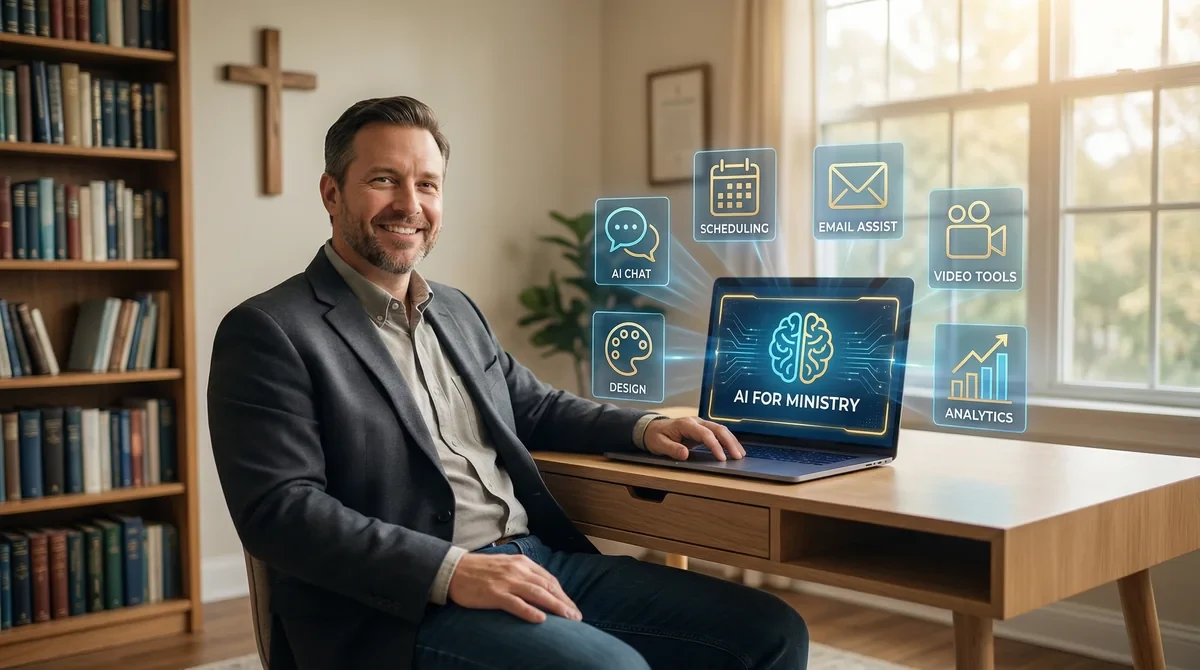
AI Tools for Pastors 2026: 7 Essential Tools to Save 15+ Hours Weekly
The best AI tools for pastors in 2026 include ChatGPT for sermon research, Otter.ai for meeting transcription, Canva AI for graphics, and specialized church platforms. These tools can save ministry leaders 10-20 hours weekly on administrative tasks.

AI for Church Administrators: 7 Tools That Save 15+ Hours Weekly (2026)
Church administrators using AI tools save an average of 15-20 hours per week on routine tasks like email management, scheduling, database updates, and communication drafts. The right AI stack transforms overwhelmed admins into strategic ministry partners.

AI for Ministry: Complete Guide to Using AI Tools in Your Church (2026)
AI for ministry helps churches automate administrative tasks, enhance sermon preparation, and improve congregational communication while freeing pastors to focus on what matters most: shepherding people. The right AI tools can save ministry leaders 10-15 hours weekly on routine work without sacrificing the authentic, Spirit-led nature of pastoral care.